Customizing Web AppBuilder
Tips and tools to help create custom Web AppBuilder Widgets
Tom Wayson
ESRI Database Services
About Me
Web Application Developer, Database Services
Clients: Fed/state/local gov agencies, commercial agriculture, utilities
ArcGIS Online apps and templates
14 yrs as Web GIS Developer & Consultant
Clients: Electric utilities, local government
Technology: JavaScript, ASP.Net, Oracle Spatial
// I <3 JavaScript What is the Web AppBuilder?
Brings "builder" experience from Flex/Silverlight to JavaScript
- Good for:
- Multi-purpose apps that need to run on multiple devices
- Creating a suite of custom apps with consistent style/behavior
- Empowering non-devlopers to create apps
- Other frameworks/templates might be better for:
- Narrowly focussed apps, especially mobile first
- Large, complex custom apps with specialized workflows
- When there is a template that does almost all of app functionality
Web AppBuilder Techniques and Tools
Techniques and Tools to help you:
- Use source control (TFS, git)
- Work with other libraries
- Scaffold out boilerplate files
- Create widgets that can be used outside the WAB
- Test your code
- Use WAB styles and widgets in your code
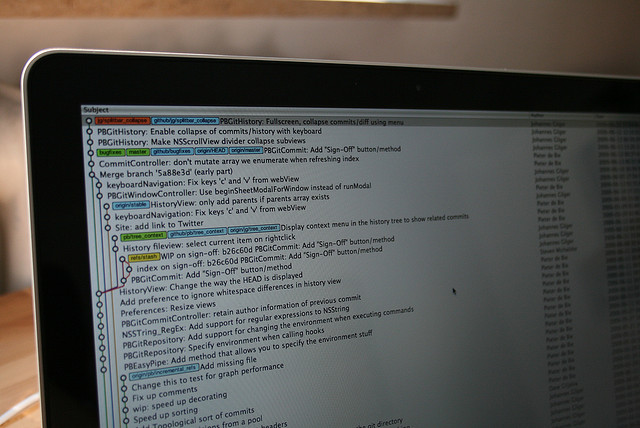
How do I Check in My Code?
Web AppBuilder Folder Structure
A standalone Node/Express app with a specific folder structure:
- Stem app: [install dir]/client/stemapp/widgets/[YourWidget]/
- Built apps: [install dir]/server/apps/[AppId]/widgets/[YourWidget]/
This probably should NOT be in your suorce control.
Task Automation to the Rescue
Work in your source control tree and use scripts to copy files
Example: Gruntfile.js
  module.exports = function(grunt) {
    var appDir = 'C:\\code\\test\\arcgis-web-appbuilder-1.0beta2\\server\\apps\\2';
    var stemappDir = 'C:\\code\\test\\arcgis-web-appbuilder-1.0beta2\\client\\stemapp';

    grunt.initConfig({
    watch: {
      main: {
      files: ['src/**'],
      tasks: ['sync'],
      options: {
        spawn: false
      }
      }
    },

    sync: {
      main: {
      files: [{
        cwd: 'src',
        src: ['**'],
        dest: appDir
      }, {
        cwd: 'src',
        src: ['**'],
        dest: stemappDir
      }],
      verbose: true // Display log messages when copying files
      }
    }

    });

    grunt.loadNpmTasks('grunt-contrib-watch');
    grunt.loadNpmTasks('grunt-sync');

    grunt.registerTask('default', ['sync', 'watch']);
  };
How Do I Load Other Libraries?

Some Hacking Required
Add refernces to init.js
- Add CSS and Non-AMD JavaScript to
resourcesarray - Add AMD libraries to
dojoConfig.packagesand/orrequirecall
Typically done in an app (as opposed to the stem app)
Example: Adding Reference to Bootstrap in init.js
- Add CSS to
resourcesarray - Add Dojo-Bootstrap to
dojoConfig.packagesfor interactive components (tabs, dropdowns, etc)
See: https://github.com/tomwayson/web-appbuilder-bootstrap
    ...
    resources = resources.concat([
      window.apiUrl + 'dojo/resources/dojo.css',
      window.apiUrl + 'dijit/themes/claro/claro.css',
      window.apiUrl + 'esri/css/esri.css',
      window.path + 'jimu.js/css/jimu.css',
      // add a reference to the Bootstrap CSS
      '//maxcdn.bootstrapcdn.com/bootstrap/3.1.1/css/bootstrap.min.css'
    ]);
    ...
    dojoConfig = {
      ...
      packages: [{
        name: "widgets",
        location: window.path + "widgets"
      }, {
        name: "jimu",
        location: window.path + "jimu.js"
      }, {
        name: "themes",
        location: window.path + "themes"
      }, {
        ...
      }, {
          // add Dojo-Bootstrap if you want to use bootstrap comontents
          // like tabs, dropdowns, modals, collapses, tooltips, etc
          name: "bootstrap",
          location: "//rawgit.com/xsokev/Dojo-Bootstrap/master"
      }]
    };
Tools to Help You Build Widgets

Taking Your Widgets on the Road

Use the Web AppBuilder Widget As Wrapper
BaseWidgetis the interface between your widget(s) and the rest of the app (the panel, dialog windows, other widgets, etc)- Create sub widget(s) for your specific functionality
- Isn't that more work?
- Yeoman generator: generator-esri-widget
Demo: Using Sub-Widgets
How Do I Test My Code?


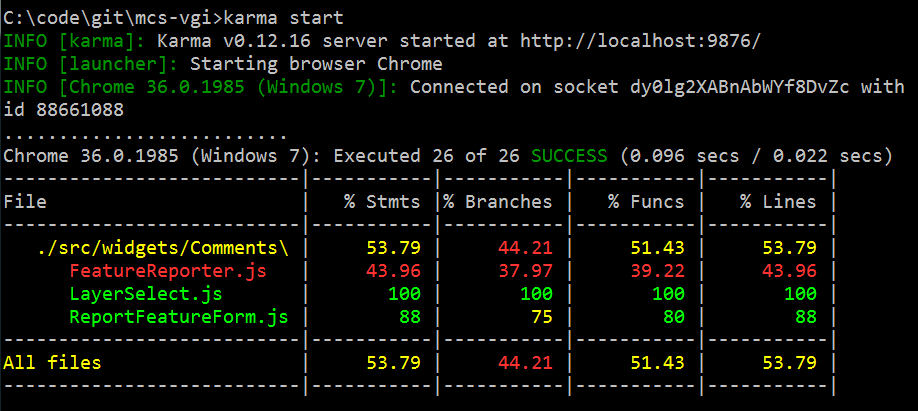
Testing Your Code...
... and only your code
- Don't test the
BaseWidgetcode - Test outside the builder environment
- Use the test specs and pages scaffoled by generator-esri-widget
Demo: Running Karma Tests
What About All the Web AppBuilder Goodies?

Using Jimu Without Dependencies
- Layout containers (tabs, etc)
- Place in Widget.js / Widget.html, not in your own widgets
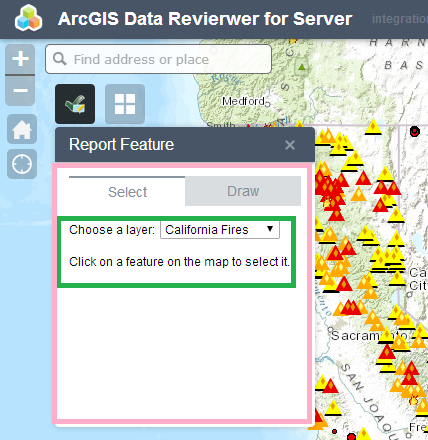
Using Jimu Without Dependencies
- Jimu styles
- Copy style rules from jimu.js/css/jimu.css to widgets/YourWidget/css/style.css
- Add jimu classes to elements in Widjet.js
  // add jimu classes for consisten look and feel
  query('input[type=text], textarea, select', this.domNode).addClass('jimu-input');
  query('button, input[type=button]', this.domNode).addClass('jimu-btn');
Do You Really Need These Jimu Widgets?
- Simple form controls (radio buttons, checkboxes, etc)
- Use plain HTML elements
- Data components (tables, charts, etc)
- Map controls (drawing, editor, etc)
- Use underlying dijits, toolbars, and tasks from the JavaScript API controls where it makes sense
Using Jimu Widgets
Sometimes the Jimu widget is the right tool for the job
- Copy jimu.js folder into your source directory
- Hide from source control (with .gitignore / .tfsignore )
- Add refrences to styles and i18n to test pages
Demo: Using Jimu Widgets
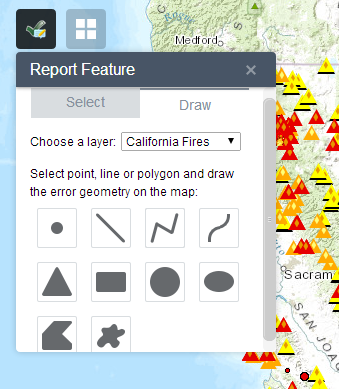
Where Can I Get Help?

Resuorces
Here are some resources to get you started:
- Videos:
- Intro: UC 2014 - DevSummit 2014
- Customizing: UC 2014 - DevSummit 2014
- Documentaion:
- Online: Developer Edition
- Bundled: http://localhost:3344/webappbuilder/help/
- GeoNet:
- Widget Repositories:
Thank You